Your agents are waiting. Cue tells you which one.

One window for every coding agent that needs you. When a session finishes its turn, asks permission or asks a question, it shows up in Cue, so you stop cycling through terminal tabs to find who's stuck.

Claude CodeCodexPi
Free and open source (MIT) · macOS 13 or later · Apple silicon and Intel · Signed and notarized by Apple
Cue's Board: the session that needs you on the left, everything waiting in the middle, live sessions on the right.

What lands in Cue

Three things an agent needs from you

Cue hears about each one the moment it happens, through the agents' own hooks, and you answer right there. The terminal keeps working too: answer in either place and the other catches up.

YOUR TURN

A finished turn

Read what it said and reply from Cue. Your message is typed into that session's terminal (iTerm, Terminal, tmux, WezTerm or kitty), or jump to the tab.

ASKS

A permission

See the exact command or edit, then Allow or Deny, or deny and tell it what to do instead.

ASKS

A question

Pick one of its options with a click or a number key, or type your own answer.

Steps in the chat

See what it did, not just that it's working

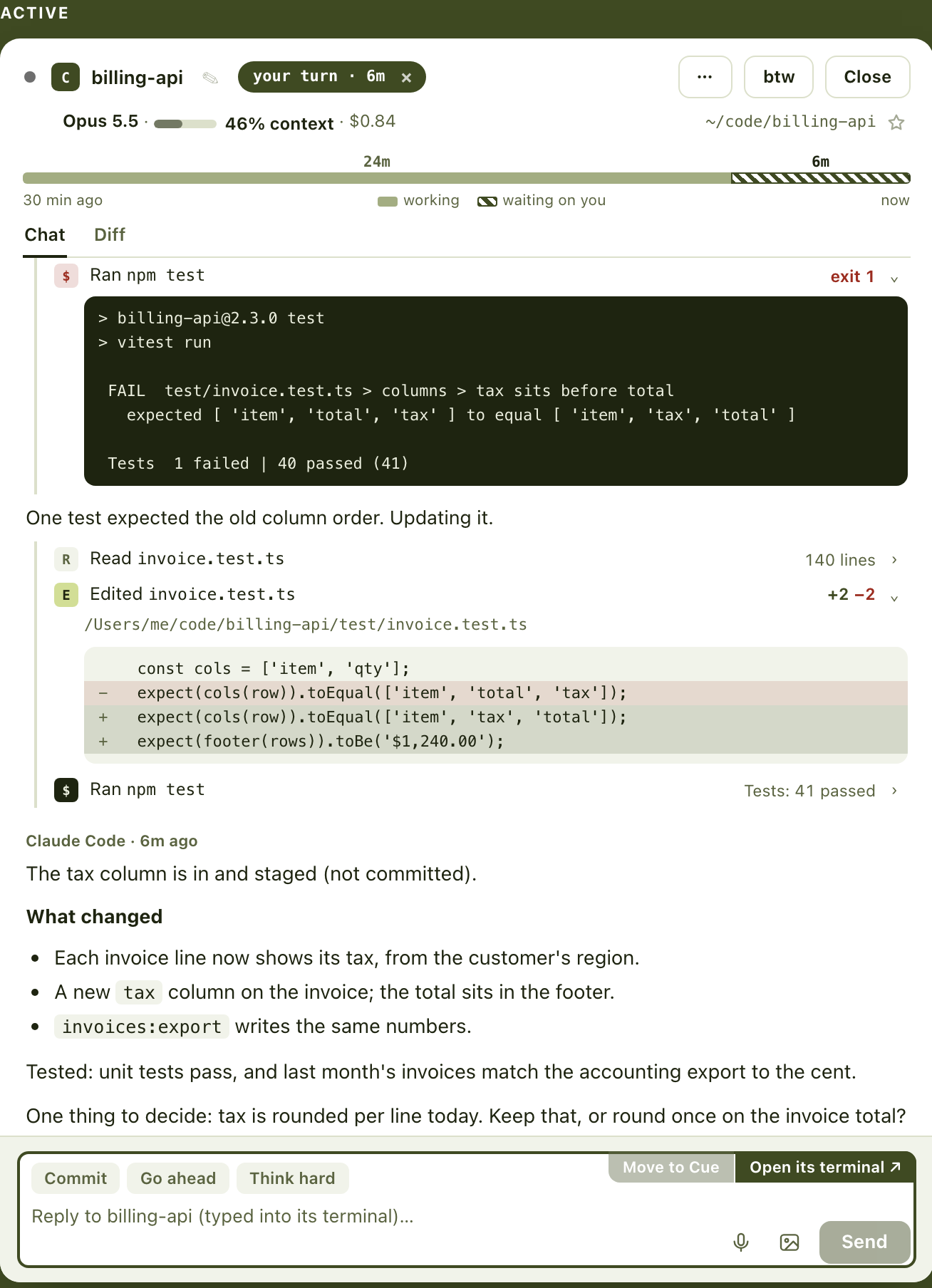
Between your message and the reply, each step is one line: what it read, edited or ran, and how that went. Open a step to see the command's output or the edit's diff.

  • Failed commands stand out in red; +12 −1 shows the size of an edit
  • Live while it works, folded away once a turn is done
  • Read from the session's own transcript when you look; nothing is copied or kept
Steps between a message and the reply: edits with their sizes, a failed test run opened to its output, and an edit opened to its diff.

Diff

What it changed, beside the chat

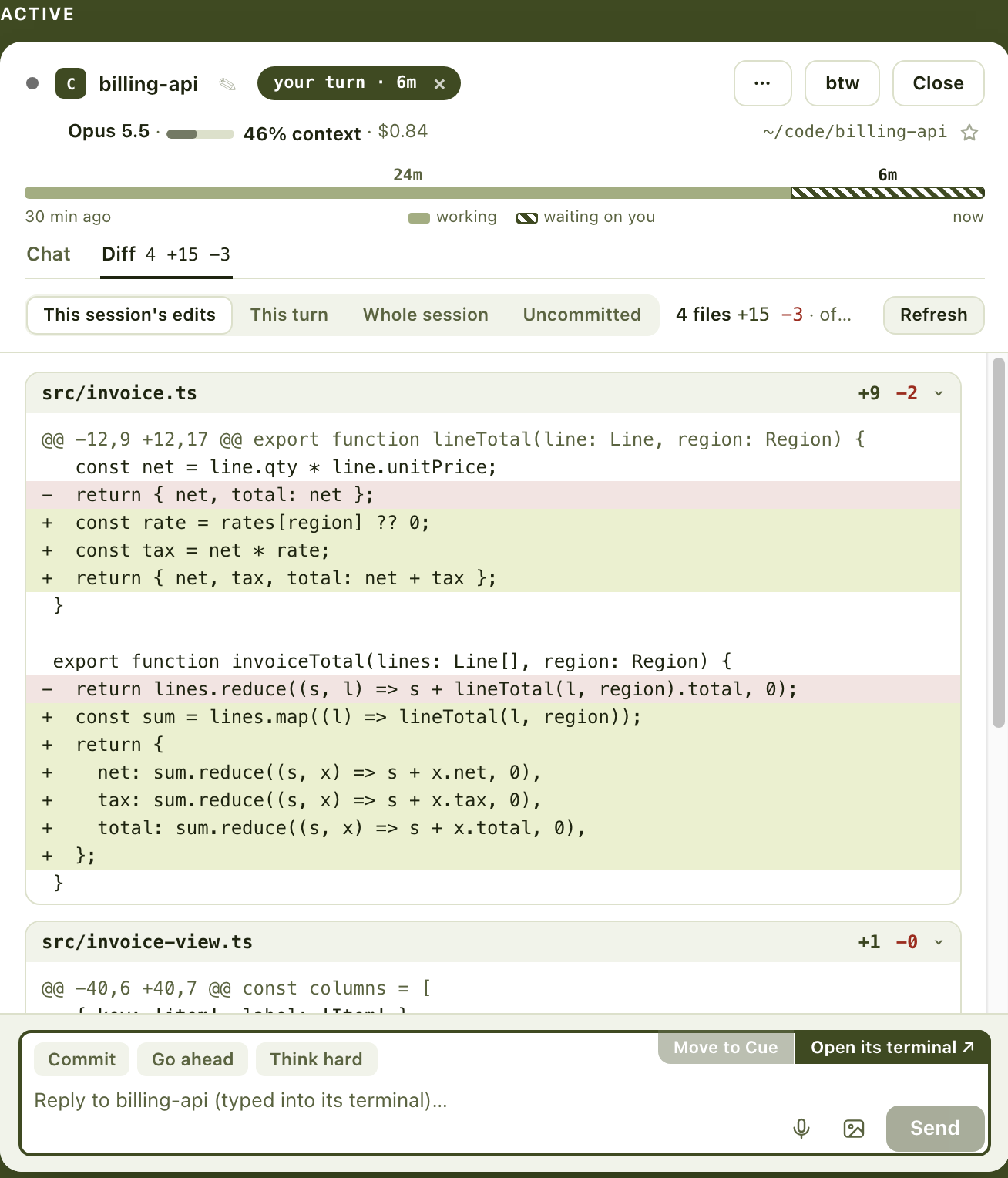
The Diff tab shows the files a session edited and what's still uncommitted in them, without leaving Cue. Switch to this turn, the whole session, or everything uncommitted in its folder.

  • The tab shows the count before you open it: 4 +15 −3
  • Works for sessions on other machines too
  • Read-only: Cue runs git to look, never to change anything
The Diff tab of a session: four files it edited, the first opened to its added and removed lines.

Background agents

See the agents it sent off

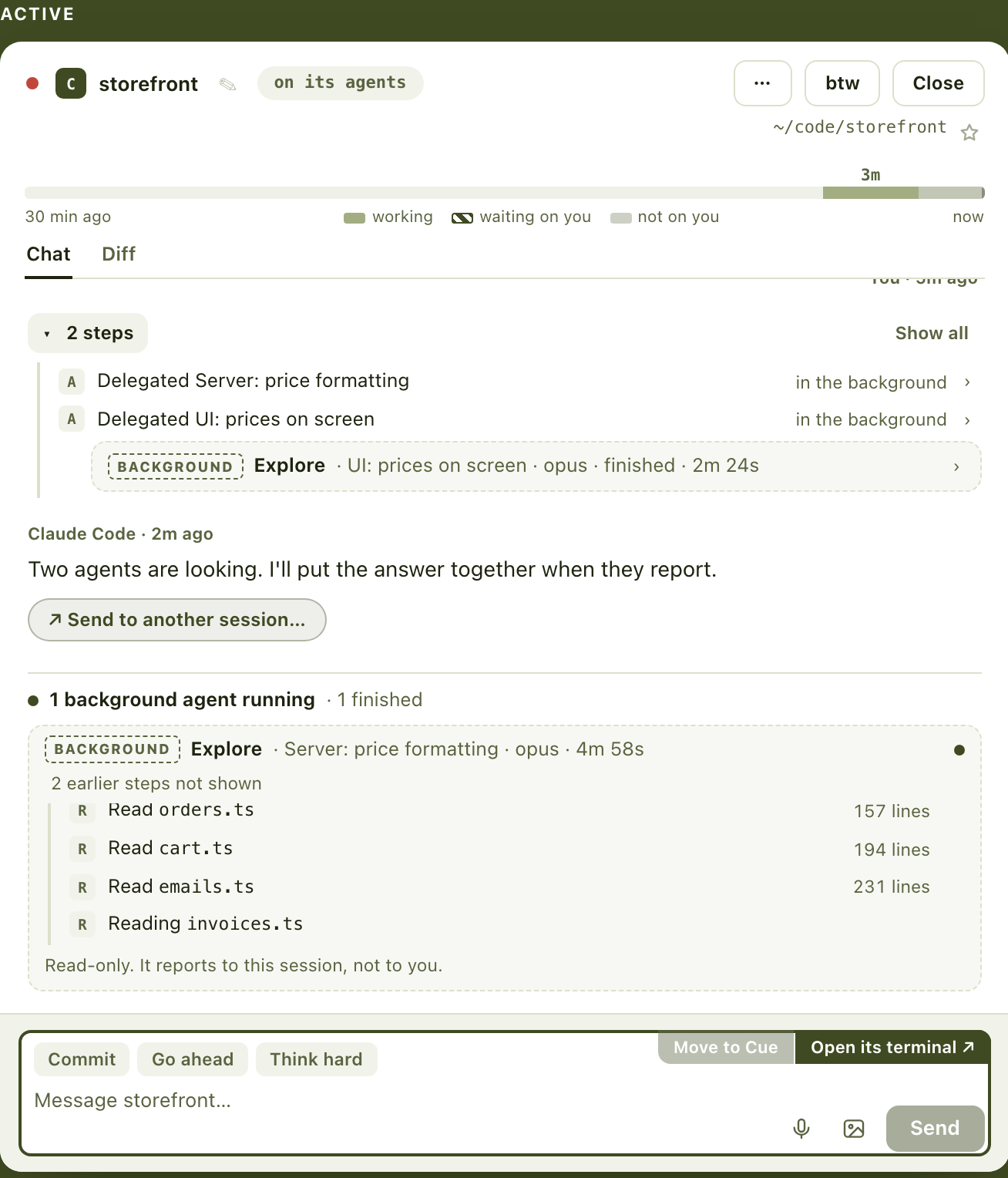
When a session hands work to background agents, Cue shows each one at work under it: what it's reading and running, and when it's done. The session isn't waiting on you, so it stays out of Waiting until they report back.

A session waiting on two background agents: one still reading files, one finished.

Set up

Connect your agents in one click

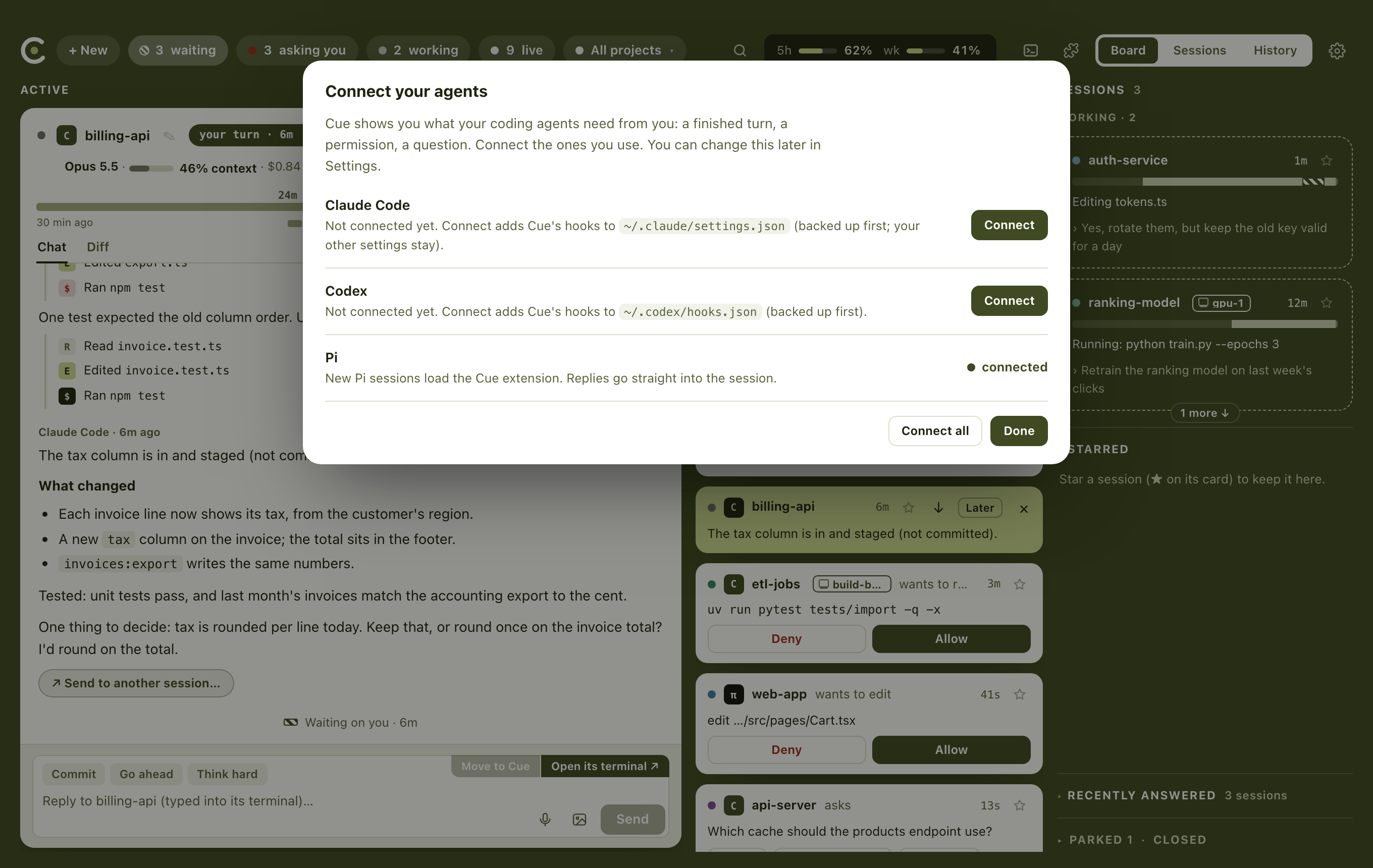
On first launch Cue lists the agents it finds on your Mac. Connect adds its hooks to each agent's settings, after backing the file up; your other settings and hooks stay exactly as they were.

The first-launch screen: Claude Code and Codex with Connect buttons, Pi already connected.

And the small things

Built for a day of running several agents

In conversationSessions that answer within 5 minutes of your message go to the top of Waiting, so a back-and-forth keeps going.
Other machinesSessions on your servers show up beside the ones on your Mac, over your own SSH.
ParkStop a session you'll come back to. It stays listed, ready to resume.
A terminal of its own⌘J opens a floating terminal over the board, with a tab per shell.
ExtensionsAdd tabs to sessions or pages to Cue. Nothing runs on your Mac until you allow it.
Quick phrasesCommit, Go ahead, Think hard: one click sends it. Set your own four.
Queue or send nowMessage a busy session: it reads it after its current step, or stop it and send.
History and statsWhat you answered today, how long agents waited, and the longest wait.
Search everythingLive, closed and older sessions, and what was said in them. Resume an old one.
DictationTalk instead of typing, on-device, with Apple's speech recognition.
Updates itselfSigned updates from GitHub, offered in the menu bar icon's menu.

Privacy

Everything stays on your Mac

Cue collects nothing and sends nothing anywhere. It's open source, so you can check.

No accounts, no trackingNo sign-up, no analytics, no crash reporting.
Local onlyIt talks to your agents through a socket that only processes on your Mac can reach. Other machines are reached over your own SSH, with no server in between.
Your data is a folderHistory, drafts and settings live in one folder in your Library. Delete it and it's gone.
One request outThe only time Cue goes online is to check GitHub for a newer version of itself.

Download

Up and running in a minute

  1. Download CueOpen the disk image and drag Cue to Applications.
  2. Connect your agentsOpen Cue and click Connect for Claude Code, Codex or Pi.
  3. Get back to workSessions that need you show up as they happen. Allow Cue to control iTerm or Terminal when macOS asks.
Download for Mac

macOS 13 or later · Apple silicon and Intel · Or build it from source.